 Profile Customizer
How to make Facebook's feed wider
Updated October 25, 2026
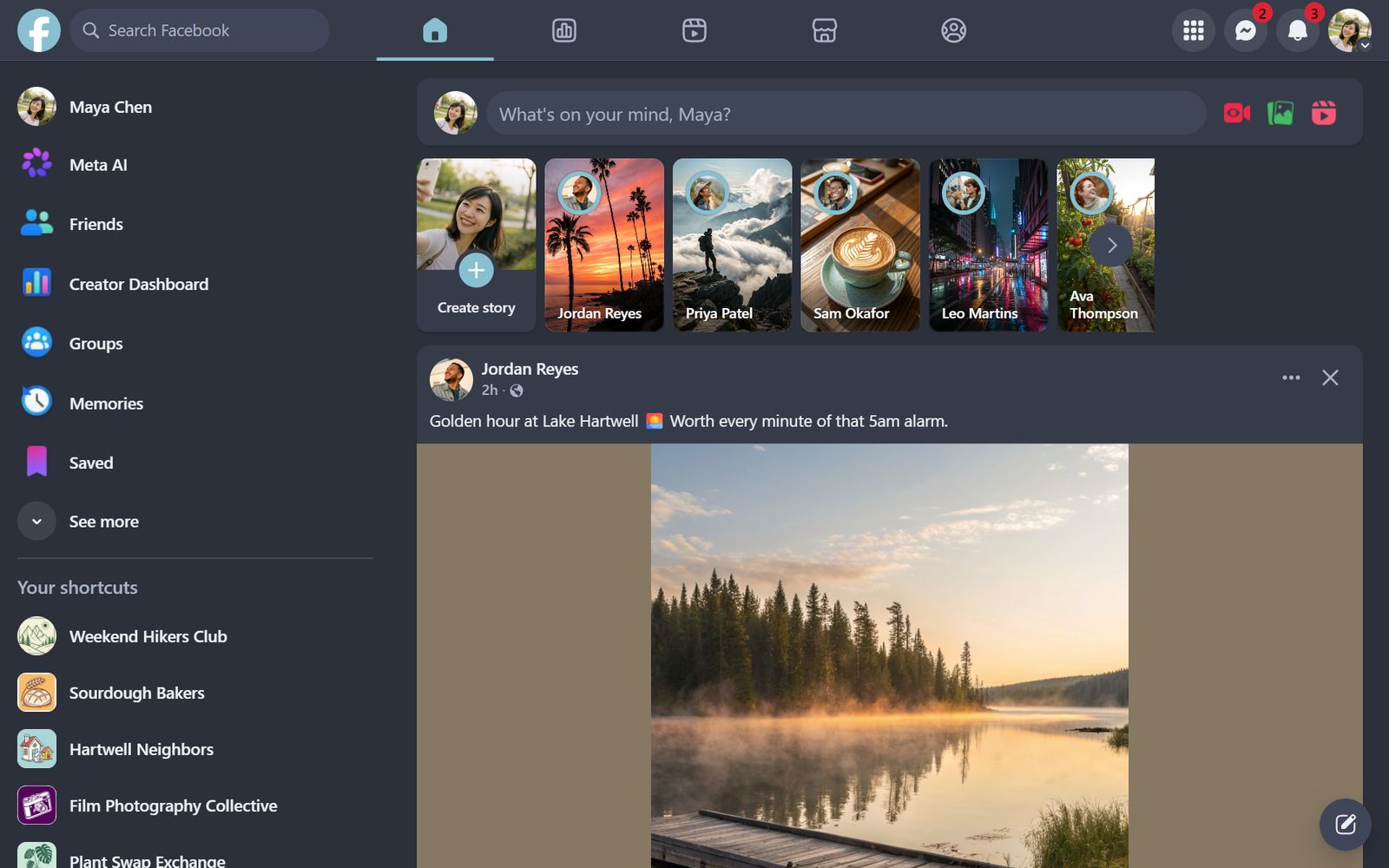
On a wide monitor, Facebook keeps the feed in a narrow column down the middle, with menus and contacts on either side. Zooming out fits more on screen, but it shrinks the text too. The better fix is to widen the feed itself.
Widen the feed
- Open facebook.com and open the customizer: click the round rainbow button at the bottom right, click the extension icon, or press Alt+Shift+C.
- Go to the Feed tab.
- Under Layout, set Feed width to Wide, Wider or Full.
Posts, photos and videos grow to fill the space, so pictures are bigger and long posts need less scrolling (Pro).
Hide the side columns
- Hide left menu removes the shortcuts column.
- Hide right sidebar removes contacts and sponsored items.
Combine them for a distraction-free, single-column Facebook (Pro).
Questions
Why is Facebook's feed so narrow?
Facebook designs for many screen sizes and keeps the feed at a fixed width. On large monitors that leaves empty space on both sides.
Does the wider feed work on every page?
Feed width applies to your Home feed. Other pages keep Facebook's layout.
Can I hide the contacts list?
Yes. Hide right sidebar removes contacts and the sponsored items above them.